Resources/Start here/AI Automation for Small Business: The Practical Guide
AI Automation for Small Business: The Practical Guide
A clear starting point for choosing, planning, and implementing useful AI automation without chasing hype or automating the wrong process.
Start here
Complete guide for choosing, implementing, and keeping AI automation useful after launch.
Published
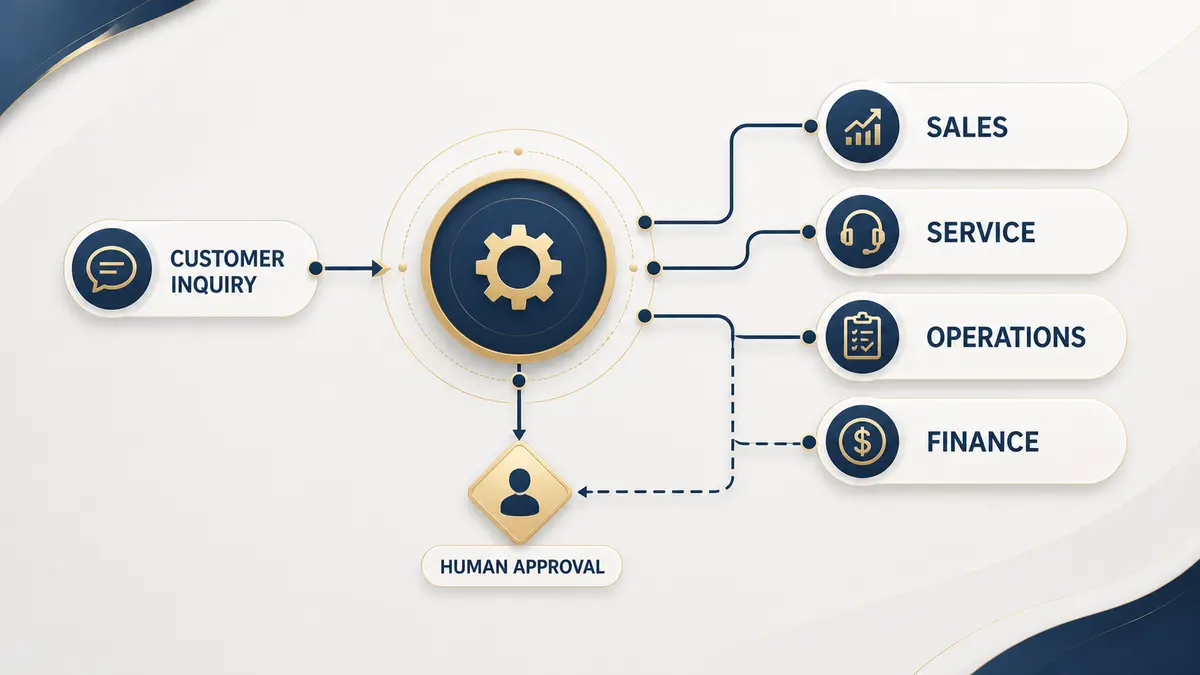
AI automation is most useful when it removes a real operational bottleneck. For a small business, that rarely means replacing an entire team or handing every decision to an autonomous agent. It usually means connecting the tools you already use, handling predictable work automatically, and asking a person to step in when judgment, empathy, or accountability matters.
“Start with the work that repeats, not with the newest AI tool.”
What AI automation actually means
Traditional automation follows fixed rules: when a form arrives, add a contact to the CRM and notify sales. AI adds a bounded layer of interpretation. It can read an unstructured message, identify intent, extract useful details, draft a response, or decide which predefined path should run next. Strong systems combine both approaches: deterministic rules for reliability and AI where interpretation adds value.
Where small businesses usually find value first
See concrete workflows before choosing a project.
AI automation examplesA sensible implementation order
| Stage | What to do | Why it matters |
|---|---|---|
| Map | Document the current process using real examples | You cannot automate a process the team cannot explain |
| Measure | Record volume, delay, errors, and rework | This creates a baseline for judging results |
| Simplify | Remove duplicate steps and unnecessary approvals | Automating waste only makes waste happen faster |
| Build | Launch the smallest useful workflow | A narrow system is easier to test and trust |
| Monitor | Track failures, overrides, and outcomes | Workflows drift as tools and policies change |
| Expand | Add edge cases and adjacent processes | Scale follows evidence rather than assumptions |
Move from an idea to a controlled launch.
Implementation guideHow to tell whether your business is ready
Readiness is less about company size than process stability. A good candidate happens often, follows a recognizable pattern, uses information stored in accessible systems, and has someone who can own the result after launch. A process that changes every week or depends on undocumented personal judgment should be stabilized first.
Check the operational signals before committing budget.
Readiness checklistCustomer operations: conversations plus action
A chatbot is only one part of customer automation. The useful outcome happens when a conversation can retrieve approved information, collect the right details, update a customer record, book a meeting, or hand the case to a person with context.
Learn how the full support system fits together.
Customer service automation guideSee when a conversational interface is the right front door.
AI chatbot guideSeparate conversation problems from process problems.
Chatbot vs. workflow automationCRM automation and the customer record
The CRM should become the reliable memory of the business, not another place employees have to copy information into. Useful automation captures source data, assigns ownership, creates follow-up tasks, keeps lifecycle stages current, and records meaningful customer events.
Build a cleaner customer-data foundation.
CRM automation guideEstimate return without invented promises
A realistic business case starts with your own numbers: how often the task occurs, how long it takes, how many errors need correction, what delays cost, and how much maintenance the new system will require. Faster response and better coverage can create value, but they should be measured against a baseline rather than assumed.
Use a practical support-side calculation framework.
Customer support automation ROIChoose tools or outside help from the process
A simple two-app workflow may be a good DIY project. A customer-facing system with sensitive data, several integrations, complex branching, or no internal owner has a higher reliability bar. Ease of use, integration depth, hosting, permissions, observability, and maintenance matter more than a long feature list.
Compare practical platform fit.
Best workflow automation toolsCompare three popular builders fairly.
Zapier vs. Make vs. n8nDecide who should own the build.
Agency vs. DIYRisks worth planning for
Avoid the failures that make useful projects difficult to trust.
Common automation mistakesWant a scoped recommendation for your process?
Explore our servicesContinue exploring
Resource
15 Practical AI Automation Examples for Small Businesses
Fifteen concrete workflows organized by business function, with the trigger, action, human checkpoint, and result each one should improve.
Read itResource
How to Implement AI Automation in Your Business
A practical implementation process from selecting the workflow through testing, launch, ownership, and ongoing monitoring.
Read itResource
Best AI Workflow Automation Tools for Small Business
A practical tool guide organized by business fit, ownership, complexity, data control, and maintenance instead of a universal ranking.
Read it