Resources/Implementation and readiness/How to Implement AI Automation in Your Business
How to Implement AI Automation in Your Business
A practical implementation process from selecting the workflow through testing, launch, ownership, and ongoing monitoring.
Series
Part of our AI Automation for Small Business: The Practical Guideresource series.
Published
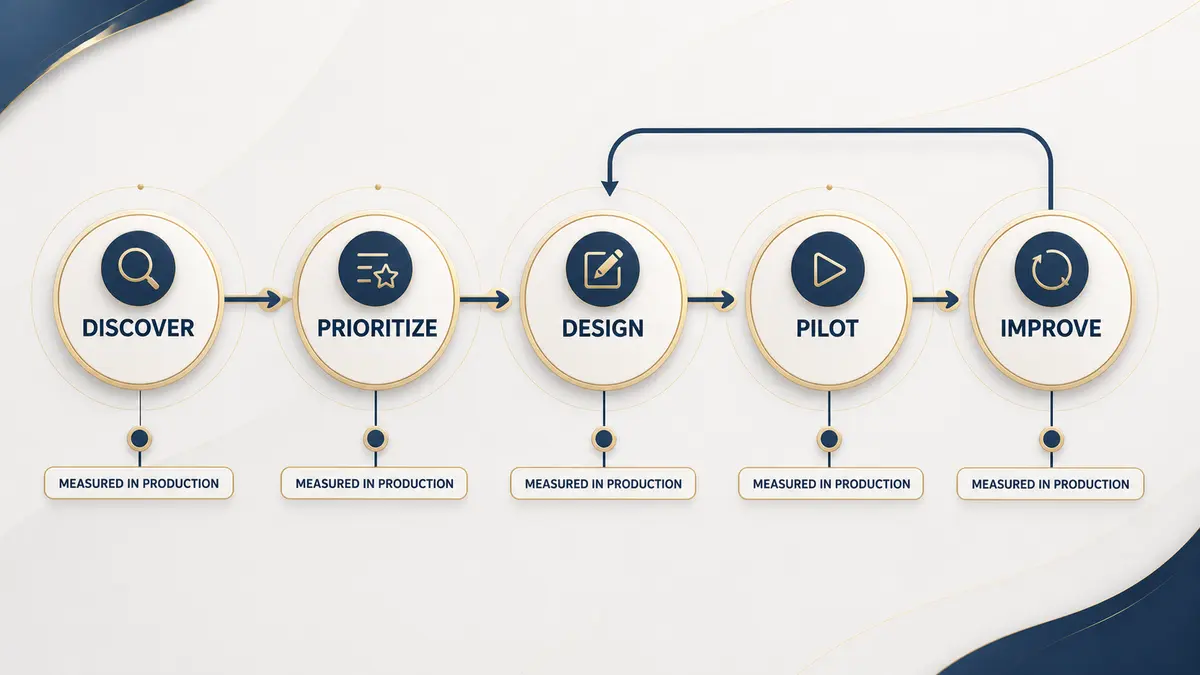
Implementation begins before a tool is selected. The goal is to make one important process more reliable, measurable, and easier to operate. A narrow first release with clear ownership is usually more valuable than a broad system that takes months to test, and every step below applies whether the eventual build is a two-app Zapier connection or a customer-facing AI agent.
1. Choose one business outcome
Define the outcome in operational language: reduce the delay between inquiry and assignment, eliminate duplicate CRM entry, or give customers an approved answer outside office hours. Goals such as use AI more describe technology, not value, and they make it impossible to know afterward whether the project actually worked. A useful outcome statement names the metric that should move and the direction it should move in, so the same sentence can be reused later as the test for whether implementation succeeded.
2. Map the current process
3. Establish a baseline
Measure enough of the current process to know whether the new one is better. Useful baselines include monthly volume, response time, handling time, error rate, missed follow-ups, and manual handoffs. Even a rough baseline gathered from a spreadsheet or a week of manual tracking is enough; the point is having a number to compare against later, not building a perfect measurement system before you start.
4. Design the smallest useful version
Choose the common path and a safe failure path. Define exactly what the automation may read, decide, write, and send. Anything outside that boundary should be logged and handed to a person. Resist the urge to design for every edge case before launch: a version that reliably handles 70% of volume and clearly hands off the rest teaches you more, faster, than a theoretical design that tries to cover 100% of cases before anyone has tested it against real input.
5. Choose tools from requirements
| Requirement | What to evaluate |
|---|---|
| Integrations | Native connectors, API quality, authentication, and limits |
| Data control | Hosting, retention, access permissions, and deletion |
| Reliability | Retries, error handling, run history, and alerts |
| Human review | Approval steps and the ability to pause or override |
| Maintainability | Documentation, versioning, ownership, and team skill |
| Economics | Usage pricing, support, maintenance time, and volume |
6. Test realistic cases
7. Launch with an owner and rollback plan
Name the person who watches the first runs, receives alerts, and can disable the workflow. Start with limited volume when possible, for example one location, one queue, or one customer segment, and document how to return to the manual process before the first real request ever reaches the system. An owner who was named after something already went wrong is a sign the launch happened too fast.
8. Monitor outcomes, not activity
A large run count is not proof of value. Compare response time, error rate, customer outcome, and human handling time with the original baseline, on a schedule the owner actually keeps, not only when something breaks. Review overrides because they show where refinement is needed: a workflow that gets manually overridden on the same type of case every week is telling you exactly where its rules or its training data are wrong.
Check whether the process is stable enough.
Readiness checklistChoose a platform only after the workflow is clear.
Automation tools guideNeed discovery, testing, and launch handled with you?
Workflow automation serviceContinue exploring
Resource
Signs Your Business Is Ready for AI Automation
AI automation isn't the right move for every business at every stage. Here's how to tell if you're actually ready, or if it's premature.
Read itResource
AI Automation Mistakes: 9 Problems to Avoid
Nine practical failure patterns that make automation expensive, fragile, or difficult for teams and customers to trust.
Read itResource
Best AI Workflow Automation Tools for Small Business
A practical tool guide organized by business fit, ownership, complexity, data control, and maintenance instead of a universal ranking.
Read it