Resources/Implementation and readiness/AI Automation Mistakes: 9 Problems to Avoid
AI Automation Mistakes: 9 Problems to Avoid
Nine practical failure patterns that make automation expensive, fragile, or difficult for teams and customers to trust.
Series
Part of our AI Automation for Small Business: The Practical Guideresource series.
Published
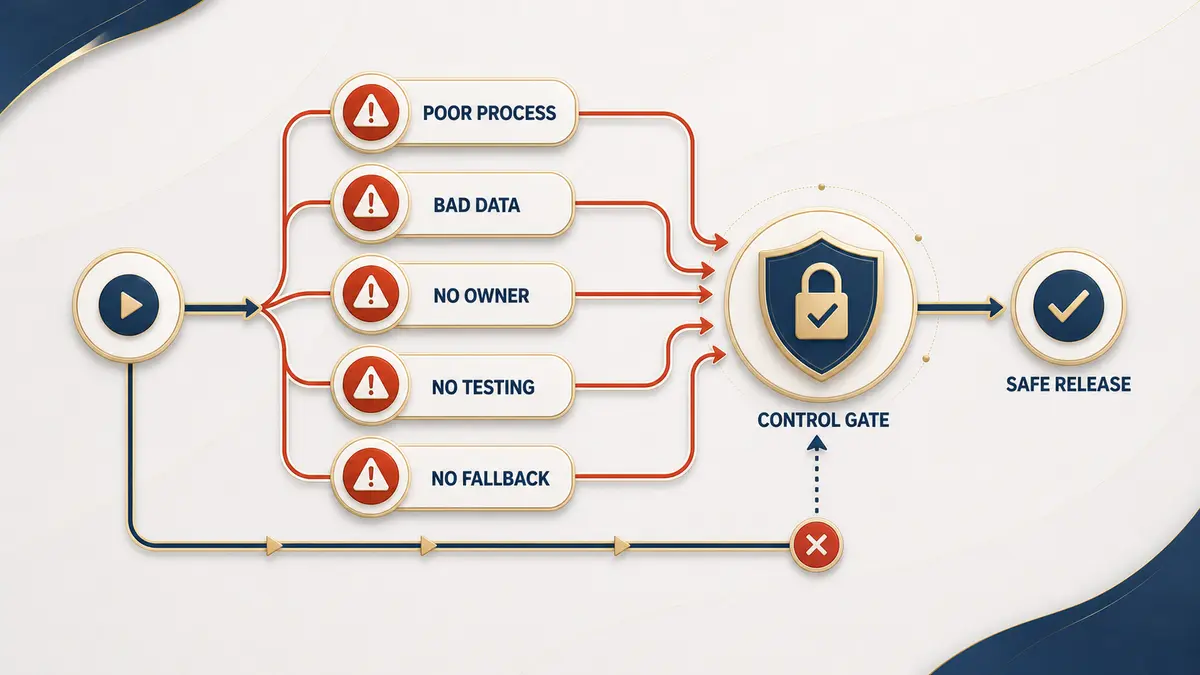
Most automation failures are not caused by an incapable model. They come from unclear ownership, unstable processes, weak testing, and systems allowed to do more than the business is ready to trust. The nine patterns below show up repeatedly across very different projects, from a two-tool Zapier connection to a customer-facing AI agent, and most of them are cheap to avoid once you know to look for them.
1. Starting with a tool instead of a bottleneck
Buying a platform before defining the outcome encourages demonstrations rather than a working process. This usually looks like a team signing up for a workflow tool or an AI agent platform because a competitor uses one, then spending weeks looking for something worth automating with it. The fix is to reverse the order: start with delay, cost, error, or missed opportunity you can already name and measure, then choose whichever tool fits that specific job. A process with a real, quantifiable cost will always produce a more convincing pilot than a tool searching for a use case.
2. Automating a process nobody agrees on
If every team member describes the workflow differently, automation will encode one interpretation and create conflict. A common symptom is a manager approving a workflow design that front-line staff immediately flag as wrong, because it reflects how the process is supposed to work rather than the exceptions they actually handle every day. Before writing a single rule, get the people who do the work in a room, walk through five to ten recent real cases together, and stabilize the process on paper first. A workflow built on a disputed process just makes the disagreement run faster.
3. Treating AI as a replacement for clear rules
Use deterministic logic when a decision can be expressed reliably, and reserve AI for interpretation, classification, extraction, or drafting. Teams run into trouble when they ask a language model to make a decision that a simple if/then rule could make more cheaply and more predictably, such as routing by order value or checking whether a required field is present. That approach adds latency, cost, and a small but real chance of an inconsistent answer to something that never needed judgment in the first place. The two approaches work best combined: rules for anything with a clear, stable answer, and AI only where the input is genuinely ambiguous.
4. Giving the workflow excessive access
Grant the minimum permissions required, separate read and write access, restrict sensitive systems, and avoid shared administrator credentials. A frequent shortcut during a rushed build is connecting a workflow with a full-access API key or an owner-level account because it is the fastest way to get something working, then never revisiting that decision once the automation is live. That single choice turns a scoped customer-support workflow into something that could, through a bug or a prompt-injection attempt, read or modify data far outside its intended job. Scoping access properly takes a bit longer to configure but removes an entire category of worst-case outcomes.
5. Testing only the happy path
Real input is incomplete, duplicated, late, and occasionally hostile, so testing only the clean, expected case tells you almost nothing about how the system behaves in production. This mistake usually surfaces a few weeks after launch, when a workflow that passed every demo starts double-booking appointments from duplicate webhook events, or fails silently when a third-party API times out instead of retrying or alerting anyone. Before launch, deliberately test ambiguity, missing fields, outages, repeated events, and requests that must reach a person, and confirm each of those cases fails safely rather than fails invisibly.
6. Hiding automation from customers
Customers should understand when they are interacting with automation and how to reach a person, and pretending a bot is human damages trust the moment it is discovered, which it usually is. This mistake often comes from a well-intentioned attempt to make the experience feel more polished, but it backfires as soon as the automation hits its limits and a customer realizes mid-conversation that no one has actually been listening. A brief, honest disclosure at the start of the interaction, paired with a visible and fast path to a human, protects trust far better than an illusion that eventually breaks.
7. Measuring runs instead of results
Automated steps can produce no business value even while running successfully thousands of times, which is why execution count is a misleading success metric on its own. It is easy to report that a workflow processed a large volume of requests without ever checking whether response time actually improved, whether errors actually declined, or whether customers were still escalating to a human at the same rate as before. The workflow’s own logs will always look healthy; only a comparison against the original baseline (time, delay, error rate, conversion, resolution quality, or customer effort) tells you whether the automation is actually working.
8. Launching without an owner
Someone must receive alerts, review exceptions, update the workflow, and decide when it should be disabled, and without a named owner that responsibility quietly falls to no one. A typical failure pattern is a workflow built by an external contractor or a single enthusiastic employee, working fine for months, and then breaking silently after that person leaves or moves to a different project, because no one else knew it existed or how to fix it. Assigning an owner before launch, not after the first incident, is one of the cheapest safeguards available.
9. Forgetting maintenance
Applications change APIs, teams change fields, and customer questions evolve, so an automation that was correct on launch day will not stay correct indefinitely without attention. A common version of this mistake is a CRM field getting renamed or a third-party API introducing a breaking change, and the workflow continuing to run without any visible error while silently writing bad data or dropping requests. Scheduling a periodic review, documenting every external dependency, and setting up basic run-failure alerts turns a slow, invisible failure into a fast, visible one.
Use the implementation sequence that addresses these risks.
Implementation guideDecide whether your team can own the system.
Agency vs. DIYContinue exploring
Resource
How to Implement AI Automation in Your Business
A practical implementation process from selecting the workflow through testing, launch, ownership, and ongoing monitoring.
Read itResource
Signs Your Business Is Ready for AI Automation
AI automation isn't the right move for every business at every stage. Here's how to tell if you're actually ready, or if it's premature.
Read itResource
AI Automation Agency vs. DIY Tools (Zapier, n8n, Make): Which Is Right for You?
The honest tradeoffs between hiring an agency and building it yourself with no-code tools, time, skill required, and who owns it when something breaks.
Read it