Resources/Chatbot vs. Workflow Automation: What's the Difference?
Chatbot vs. Workflow Automation: What's the Difference?
Both live under the "AI automation" umbrella, but they solve different problems. Here's how to tell which one you actually need first.
Series
Part of our AI Automation for Small Business: The Practical Guideresource series.
Mohamed Amine Saada, Forteuno Web
Published
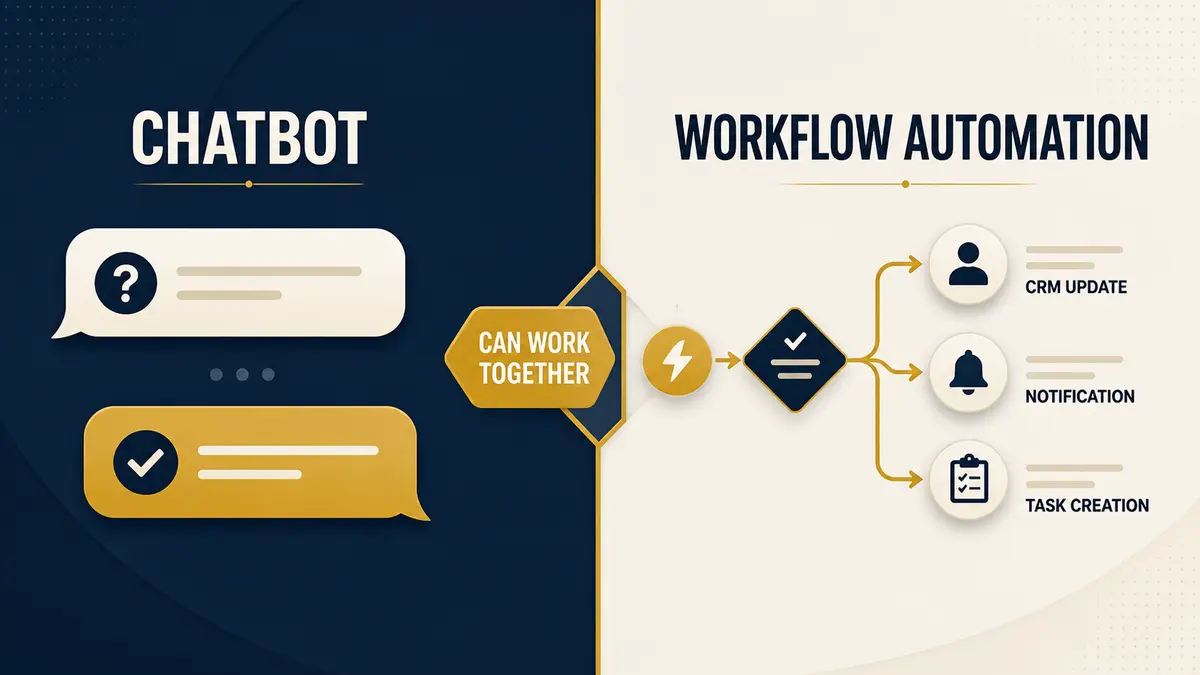
These two terms get used almost interchangeably in sales conversations, which causes real confusion when a business is trying to figure out what to actually buy. They're related, a chatbot is often the front door into a workflow automation, but they solve different problems, and knowing which one addresses your actual bottleneck matters more than the label.
What a chatbot actually does
A chatbot is a conversational interface. Its job is to have a back-and-forth exchange with a person, answering questions, qualifying a lead, booking an appointment, handling a support request, across channels like a website widget, WhatsApp, Instagram DMs, or voice. The defining feature is that it's reactive to a specific person's input in real time: it reads what someone typed or said, and responds appropriately, ideally sounding less like a rigid script and more like a competent first point of contact.
This is what our Chatbot Development service covers, conversational systems built for your channels.
Chatbot DevelopmentWhat workflow automation actually does
Workflow automation runs in the background, independent of any single conversation. It's the machinery that moves data between systems, applies business rules, and triggers actions, updating a CRM record, sending an internal notification, generating an invoice, syncing a new customer to an email list, without a person needing to be actively chatting with anything. It doesn't require language understanding at all; a huge share of workflow automation is simple, rule-based data movement.
Use an agent only where interpretation is needed
AI agents are fashionable, so teams sometimes put one in charge of an entire process that could have been a reliable workflow. I avoid that. A fixed trigger, validation rule, calculation, permission check, or known API call should stay deterministic. I add AI when the system must interpret an open message, classify uncertain intent, extract meaning, or draft language. Then I put rigid workflow steps around that AI decision. This costs less, is easier to test, and breaks less often than an agent improvising every step.
Agentic behavior earns its place when the route cannot be known in advance and the model must choose among tools or plans. Even then, limit the tools, validate arguments, set budgets, log decisions, and define a fallback. The goal is controlled flexibility, not maximum autonomy.
Where they overlap
“A chatbot with no workflow behind it just talks; a workflow with no chatbot in front of it has no way to react to an unstructured human request.”
The overlap is real: a chatbot conversation is frequently the trigger that kicks off a workflow. A customer asks a chatbot to book a consultation; the chatbot handles the conversation, and a workflow automation behind it checks calendar availability, creates the booking, updates the CRM, and sends a confirmation. The chatbot is the interface; the workflow is what actually gets the resulting work done. Neither replaces the other, a chatbot with no workflow behind it just talks; a workflow with no chatbot in front of it has no way to react to an unstructured human request.
How to tell which one you need first
Look at where the actual friction is. If prospects or customers are waiting too long for a reply, or your team is fielding the same questions over and over, that's a conversational bottleneck, start with a chatbot. If the conversations happen fine but what happens after (data entry, follow-up scheduling, internal handoffs) is where things get dropped or delayed, that's a process bottleneck, start with workflow automation. Most businesses eventually want both, but starting with whichever one is bleeding the most time or losing the most leads right now gives you a faster, clearer return before expanding.
Continue exploring
Resource
How AI Workflow Automation Works: A Practical Overview
The building blocks behind workflow automation, where AI actually earns its place in the process, and what implementation looks like in practice.
Read itResource
What's the ROI of Automating Customer Support?
A framework for sizing up the return before you commit, what actually drives ROI, what kills it, and how to estimate your own numbers.
Read it