Resources/CRM Automation 101: Connecting Your Tools Without the Manual Work
CRM Automation 101: Connecting Your Tools Without the Manual Work
What CRM automation actually covers, why disconnected tools are the real underlying problem, and what a well-automated pipeline looks like end to end.
Series
Part of our AI Automation for Small Business: The Practical Guideresource series.
Published
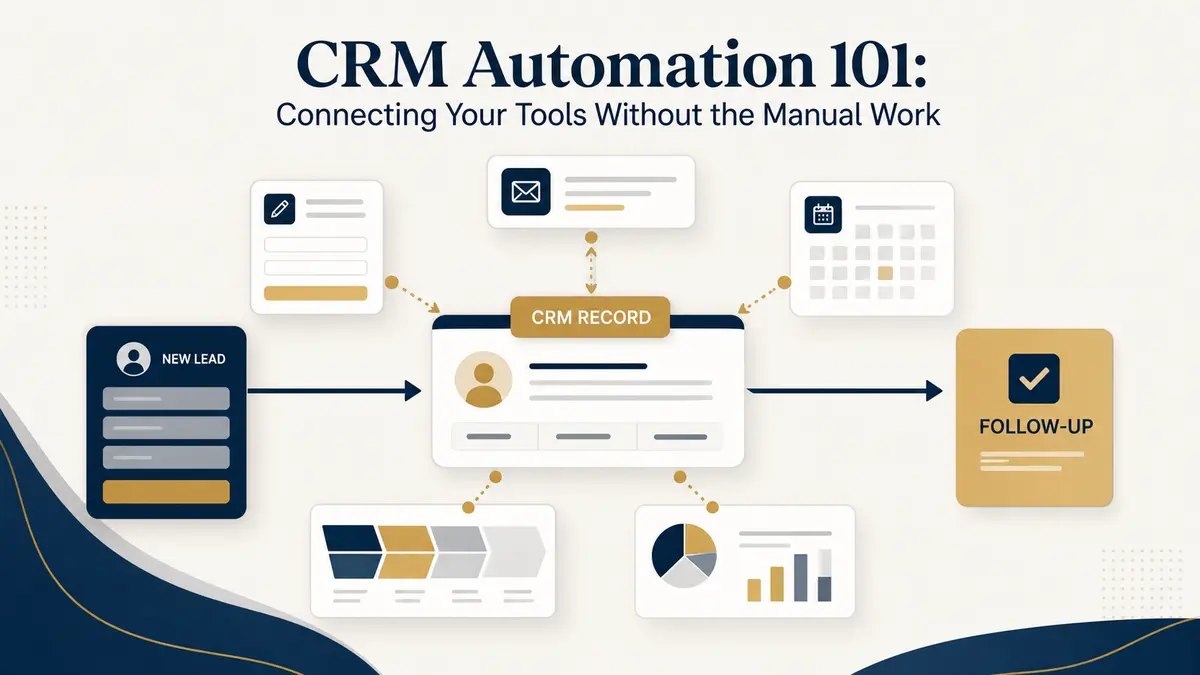
Most CRMs are used at a fraction of their potential because keeping them updated is manual, tedious work that gets deprioritized the moment things get busy, which is exactly when accurate data matters most. CRM automation isn't about replacing the CRM; it's about removing the manual data entry that causes it to fall out of date in the first place.
What CRM automation typically covers
The real problem: systems that don't talk to each other
“Every separate system is a place where information needs to be manually copied over unless something connects them.”
The underlying reason CRM data goes stale usually isn't laziness, it's that the CRM lives separately from the tools where the actual work happens: the website form, the invoicing tool, the calendar, the support inbox. Every one of those separate systems is a place where information needs to be manually copied over unless something connects them. Integration, usually through each tool's API, sometimes through simpler no-code connectors, is what actually solves this, by making updates in one system automatically show up in the others instead of relying on someone to notice and re-enter it.
CRM management is one of the connections our Workflow Automations service wires up directly.
Workflow AutomationsWhat a well-automated pipeline looks like end to end
A lead fills out a form or messages through a chat channel and lands in the CRM automatically, tagged with its source. As they move through calls, emails, or meetings, the CRM reflects deal-stage changes based on what actually happened, not because a rep remembered to update a field, but because the action itself (a meeting getting booked, a proposal getting sent) is the trigger. Follow-ups go out on a schedule tied to actual behavior, not a fixed number of days. And when leadership wants to know pipeline health, the numbers are already current because nothing depended on a manual update step in the first place.
Common pitfalls
The biggest mistake is automating on top of bad data, if lead sources or contact records are already inconsistent, automation just moves the mess faster instead of fixing it, so it's worth cleaning up the data model before wiring automation on top of it. The second is over-automating relationship-sensitive touches: a fully scripted "congratulations on your purchase" sequence can read as impersonal for a high-value client who expects a real note from their rep. The fix isn't avoiding automation, it's building in the right human checkpoints, automate the mechanical parts, keep a person in the loop wherever the relationship actually matters.
Continue exploring
Resource
How AI Workflow Automation Works: A Practical Overview
The building blocks behind workflow automation, where AI actually earns its place in the process, and what implementation looks like in practice.
Read itResource
Signs Your Business Is Ready for AI Automation
AI automation isn't the right move for every business at every stage. Here's how to tell if you're actually ready, or if it's premature.
Read it