Resources/Implementation and reliability/Build for Quality First, Then Optimize AI Automation Cost
Build for Quality First, Then Optimize AI Automation Cost
Trying to maximize quality and minimize cost at the same time makes debugging harder. I establish the best result first, freeze the benchmark, then make it cheaper.
Series
Part of our AI Automation for Small Business: The Practical Guideresource series.
Mohamed Amine Saada, Forteuno Web
Published
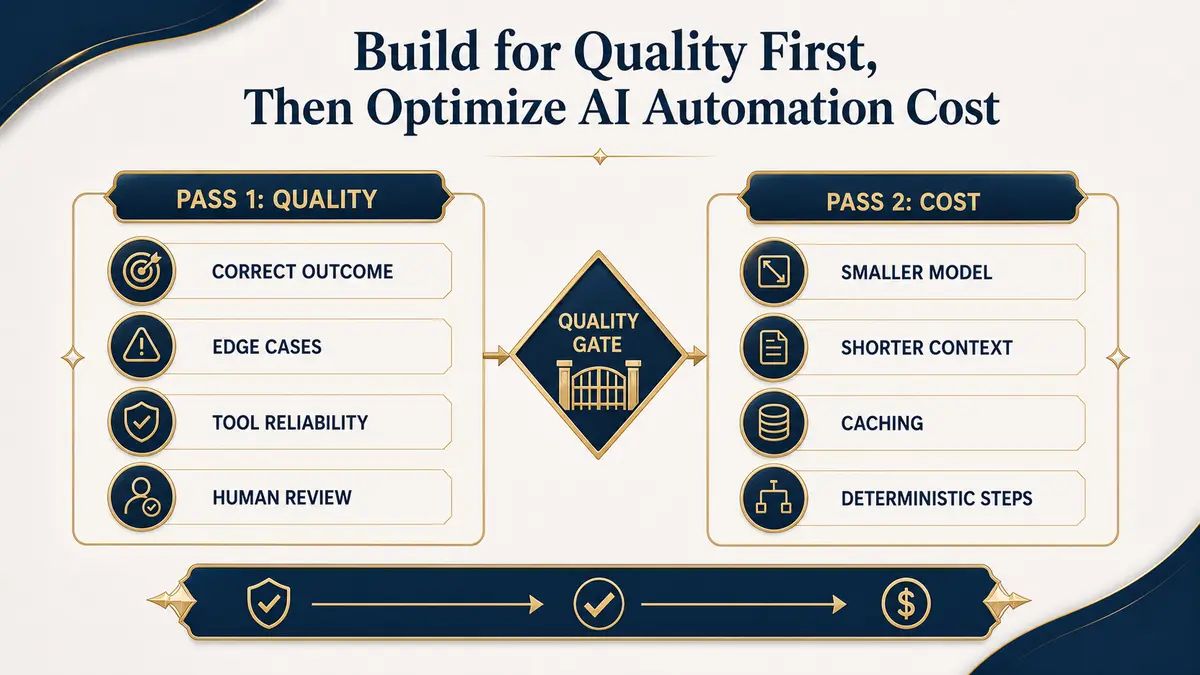
My order for AI automation is simple: quality first, cost second. When I am still trying to make a system correct, I use the model, context, examples, and checks that produce the best result I can measure. Once that version is dependable, I optimize cost one change at a time. Trying to do both from the first day creates too many variables and makes weak results difficult to diagnose.
Pass one establishes the quality baseline
Pass two removes cost without removing the result
With a frozen benchmark, test a smaller model. Shorten repeated instructions. Retrieve fewer but more relevant examples. Cache stable knowledge and deterministic transformations. Move calculations, routing rules, permission checks, and schema validation out of the model. Each change should run against the same quality and failure tests.
| Optimization | Potential saving | What to re-test |
|---|---|---|
| Smaller model | Lower token cost and latency | Accuracy, tool use, dialect, edge cases |
| Shorter context | Fewer input tokens | Missing policy or example behavior |
| Retrieval | Focused context | Wrong or empty retrieval |
| Caching | Avoid repeated generation | Freshness and user-specific data |
| Deterministic workflow steps | Less model usage | Rule coverage and exceptions |
| Batch or asynchronous work | Operational efficiency | Delay and retry behavior |
Caching is the one that surprises people most, because it is nearly free to implement correctly and the saving is not marginal. On a production support system running around $1,000 a month in model spend, structuring prompts so that the stable portion (system instructions, tool definitions, reference material) stays identical across calls and sits ahead of the variable portion cut the bill by roughly 30%, about $300 a month, with no change to output quality. The only requirement is prompt discipline: the parts that do not change between calls need to be assembled the same way every time, in the same order, so the provider’s cache can actually match them.
Why AI everywhere usually costs more and breaks more
A workflow does not need a model to check whether a required field exists, compare a number, calculate a date, or call a known API after a fixed trigger. Putting AI over every step adds latency, variability, and another place to fail. I use AI for interpretation when ordinary logic cannot handle the input cleanly. The surrounding workflow stays as rigid as the business rule allows.
Set a cost budget after you understand value
Cost per run matters, but it belongs beside the value and risk of the task. A slightly more expensive support route may be reasonable if it avoids false bookings or poor escalations. A background classification task may tolerate a cheaper model and asynchronous processing. Use different budgets for different jobs instead of forcing the entire system onto one model.
Keep the benchmark after launch
Optimization is not finished when the invoice drops. Watch overrides, failed tools, retries, escalations, latency, and customer corrections. A cheaper configuration that creates more manual cleanup is not cheaper. Keep quality and cost on the same operational dashboard, but improve them in sequence so you can tell which change caused what.
Choose models from measured task performance before optimizing spend.
Model benchmarkingAvoid reliability mistakes while moving from pilot to production.
Automation mistakesContinue exploring
Resource
The Latest AI Model Is Not Always the Best Model for Your Task
I have kept GPT-4.1 and GPT-4o in production tasks when they produced fewer errors than newer models. Release date is not an evaluation metric.
Read itResource
AI Automation Mistakes: 9 Problems to Avoid
Nine practical failure patterns that make automation expensive, fragile, or difficult for teams and customers to trust.
Read itResource
How to Implement AI Automation in Your Business
A practical implementation process from selecting the workflow through testing, launch, ownership, and ongoing monitoring.
Read it